Shared and Individual Inboxes
Written By Jill Berkowitz
Last updated 12 months ago
Clerk Chat Inboxes are dedicated communication channels within the Clerk platform, serving as virtual spaces where messages, queries, and interactions from customers or clients are received and managed. These inboxes (or phone numbers) can be assigned individually to team members for personalized handling or shared among multiple team members for collaborative customer support and streamlined communication.
Inbox Management
Managing Your Phone Numbers: A Quick Guide
Here’s how you can customize and manage your phone numbers effectively:
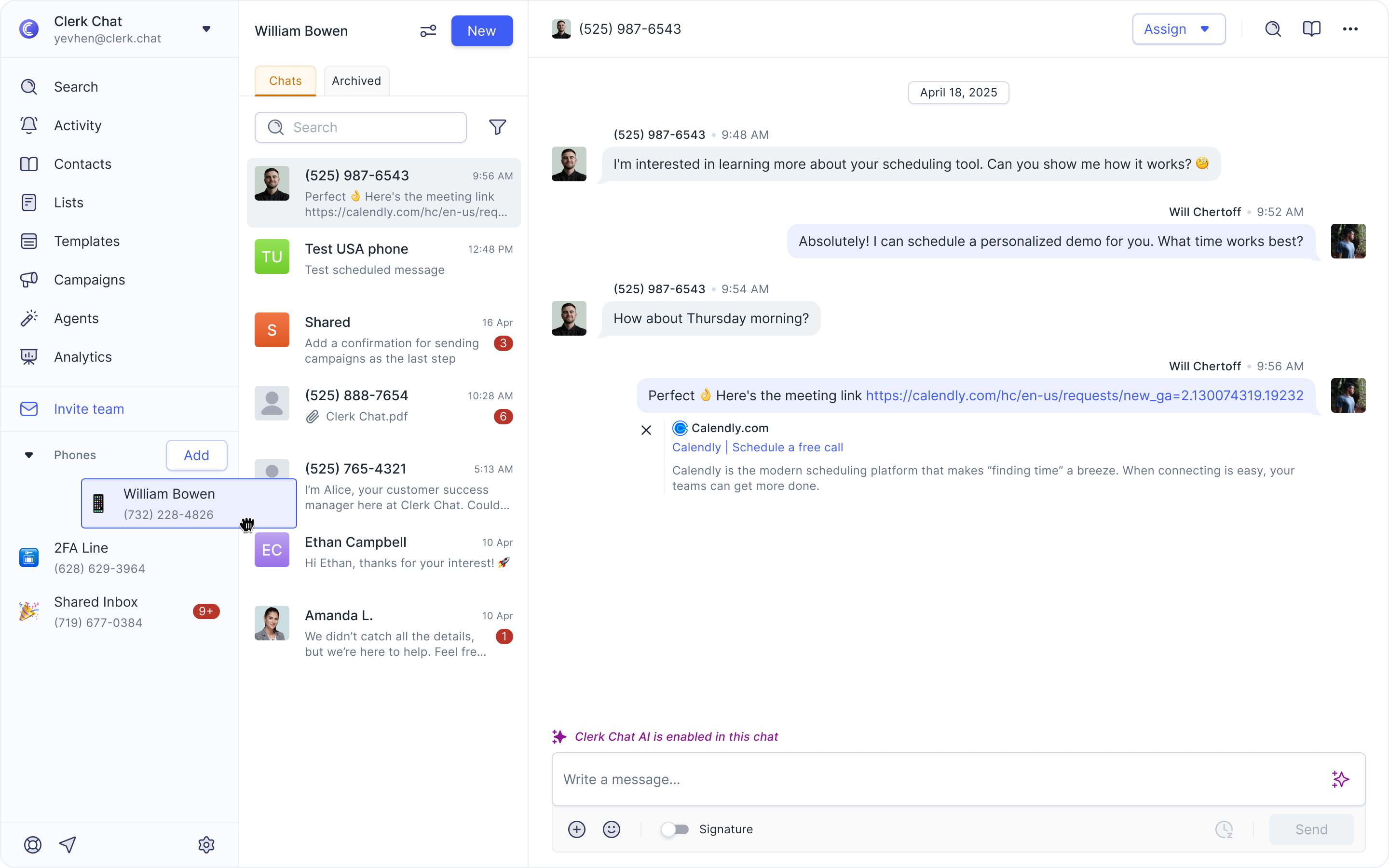
Reorder Inboxes
Simply click and hold an inbox, then drag it to the desired position in the list.
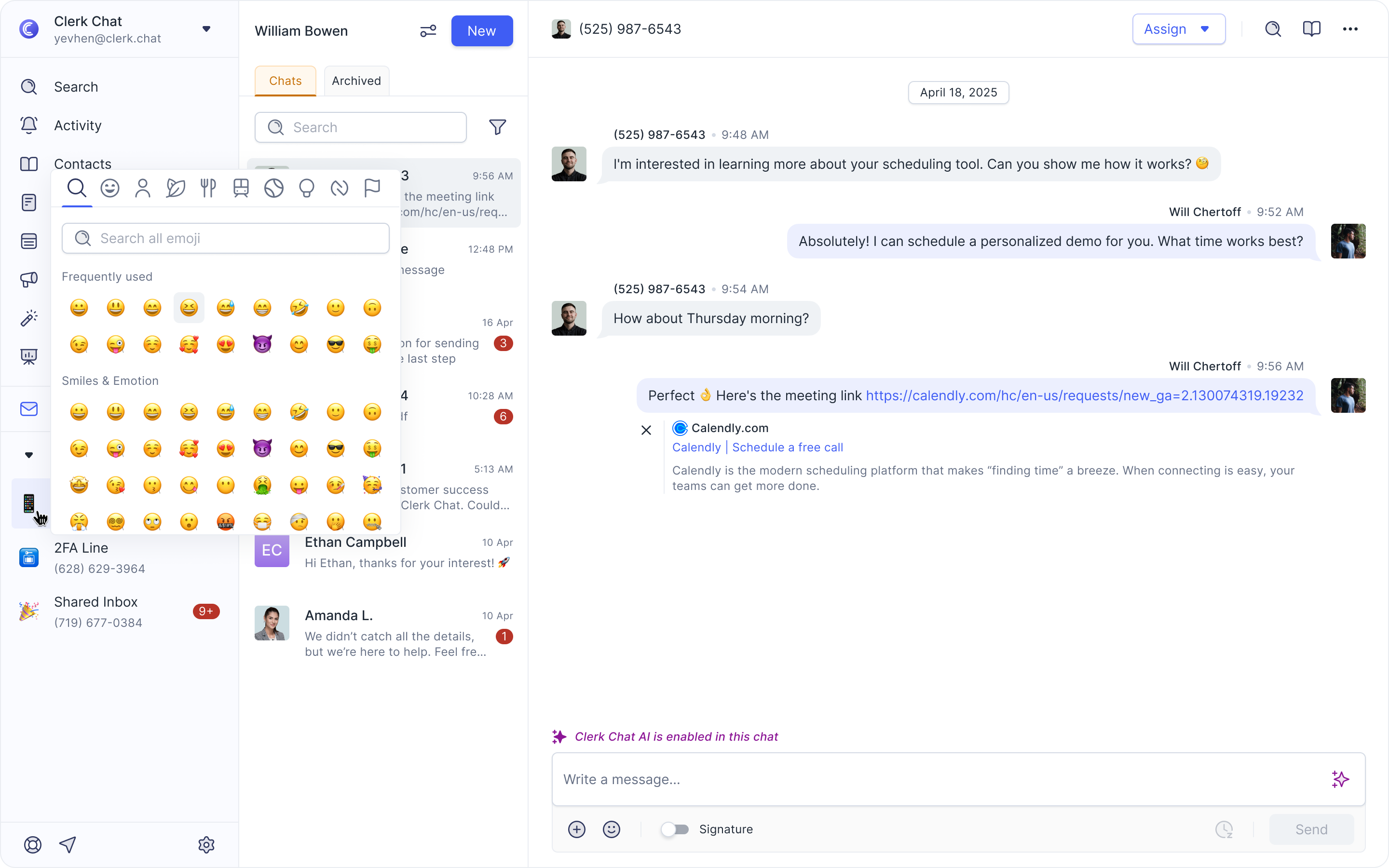
Change the Emoji Icon
To update the emoji icon for your inbox, click the three dots on the right of the inbox and select Settings. From there, you can choose a new icon for your inbox.
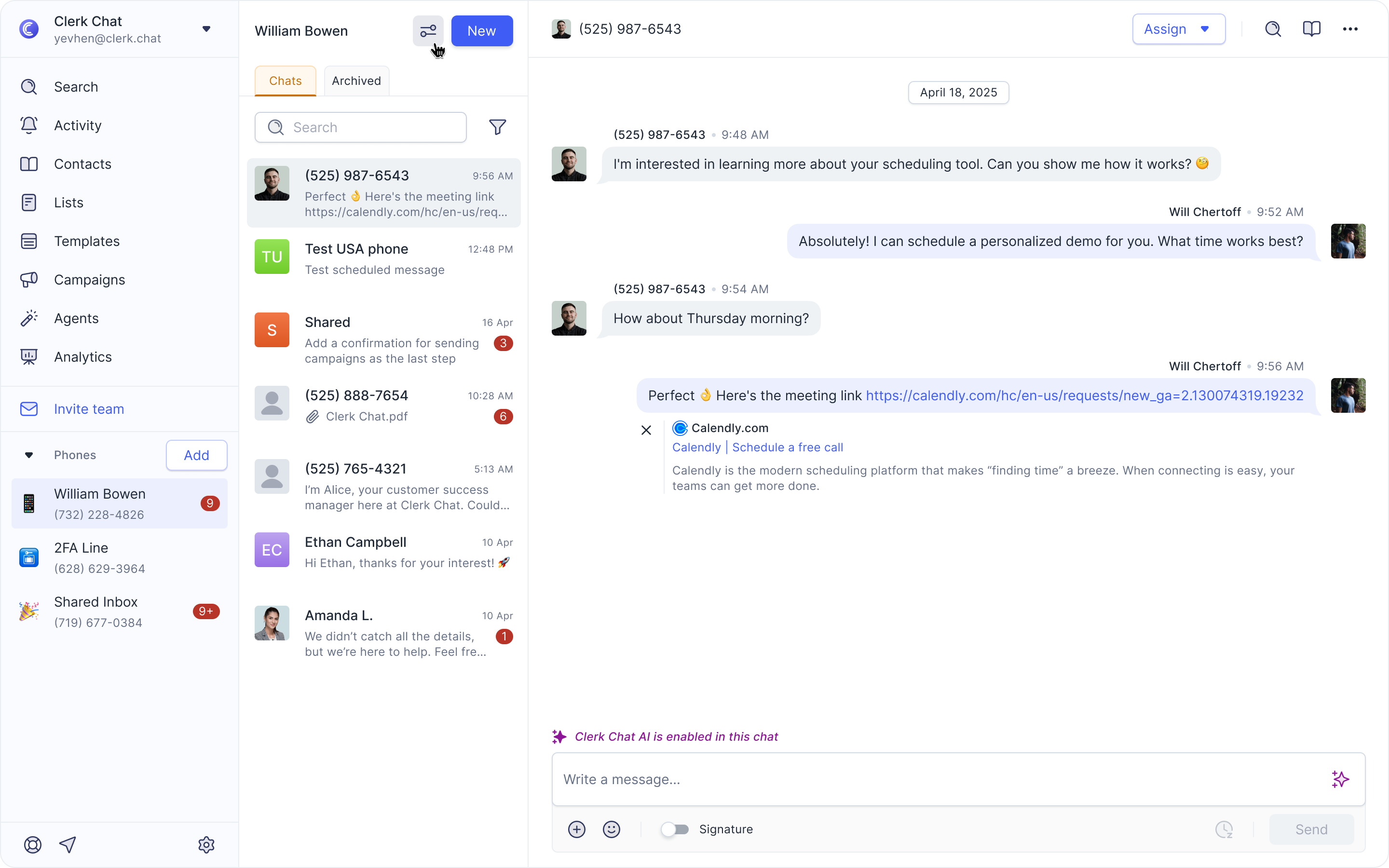
Features You Can Adjust for Each Inbox
To customize an inbox click the Settings icon.
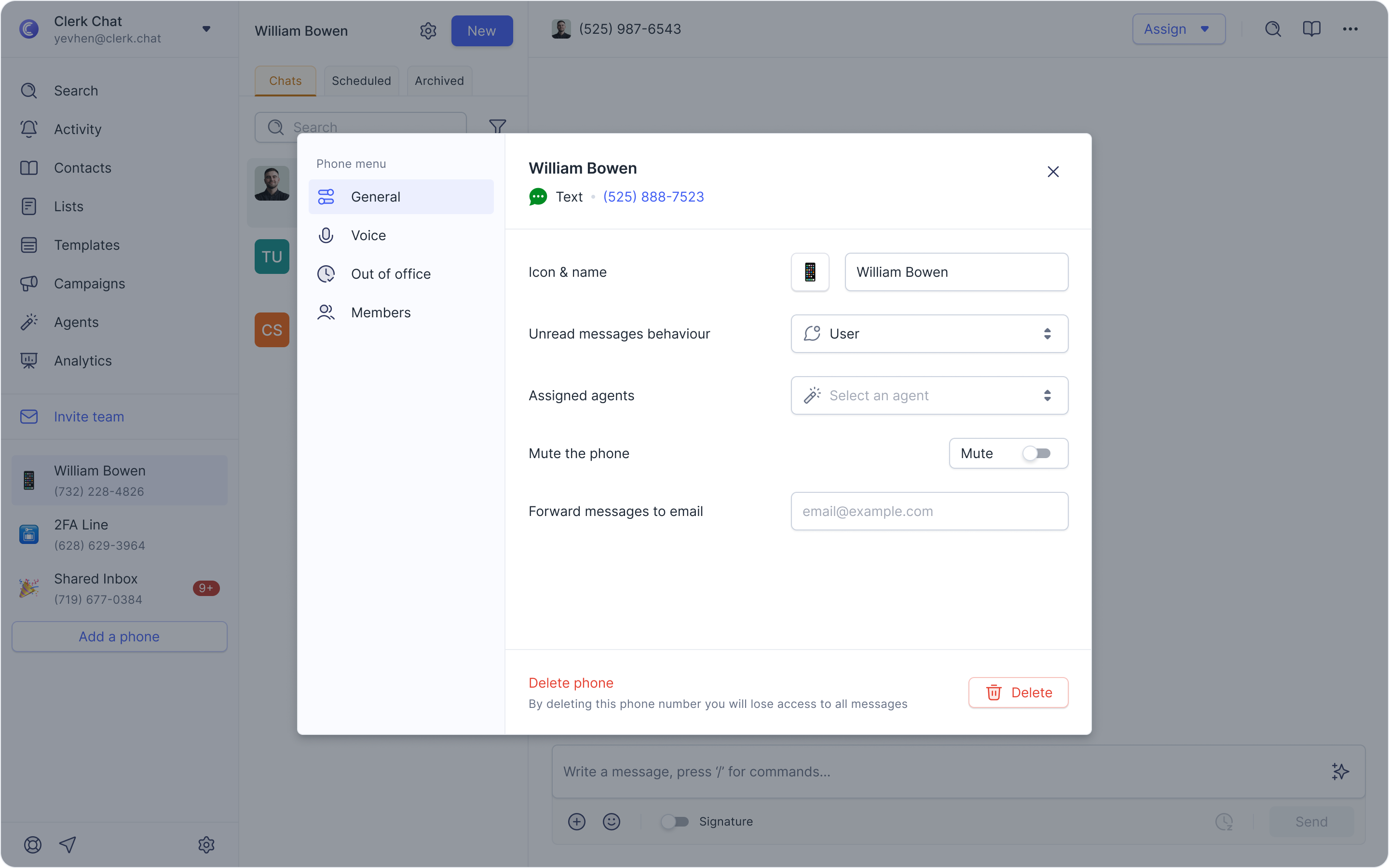
Here’s what you can modify:
For all members
Name: Click Edit, update the inbox name, and click Save. Example: Rename "Main Line" to "Support Team."
Emoji/Icon: Update the inbox icon.
Mute Inbox: Mute notifications from this inbox.
For workspace owners. In addition to the options available to members, owners can also:
Set unread message behavior: Apply to the inbox or the entire team.
Assign an agent: Add a specific agent to the inbox.
Forward messages: Automatically forward inbox messages to an email.
Delete inbox: Permanently remove the inbox along with all messages, conversations, and associated phone numbers. ⚠️ This action cannot be undone.
Additional Features
Copy Message Links – Direct URLs for individual chat messages enable easy sharing and collaboration across teams.
Enhanced Filtering – Improved conversation filtering capabilities make inbox management faster and more effective.
Automatic Inbox Selection – A new conversation URL system allows users to start messages via a link, enabling integration with external systems like CRMs and Microsoft Teams.
Was this helpful?
Still need help? Share an idea