Iterable
Written By Igor Boshoer
Last updated 9 months ago
The Clerk Chat integration transforms Iterable's messaging capabilities by enabling true conversational experiences across multiple channels. Instead of one-way notifications, your customers can respond, ask questions, and engage in real-time dialogue—all managed through Clerk Chat's intelligent agent platform.
What This Integration Enables
Conversational AI: Turn Iterable's SMS channel from broadcast-only into a two-way communication channel. Customers can reply to messages and receive intelligent, context-aware responses powered by Clerk Chat's AI agents.
Voice Channel: Extend your Iterable campaigns with outbound and inbound voice capabilities. Deploy voice agents that can handle calls, answer questions, and route to live agents when needed.
RCS for Business: Unlock rich messaging experiences with branded sender profiles, carousels, suggested replies, and read receipts — delivering app-like interactions directly in your customers' native messaging apps.
How It Works
Clerk Chat connects to Iterable as a messaging layer, intercepting inbound responses and routing them through your configured AI agents or human handoff workflows inside of Clerk Chat. Outbound messages initiated from Iterable campaigns flow through Clerk Chat, enabling consistent conversation history and context across all touchpoints.
Connection Setup
There are two ways to connect Clerk Chat with Iterable, depending on your existing infrastructure and preferences.
Option 1: Direct Iterable Integration
Connect directly using Iterable's native webhook, API and event system.
Outbound Messages
You can initiate an outbound message from Iterable using built-in features such as Journeys, Campaigns, and/or the Iterable API.
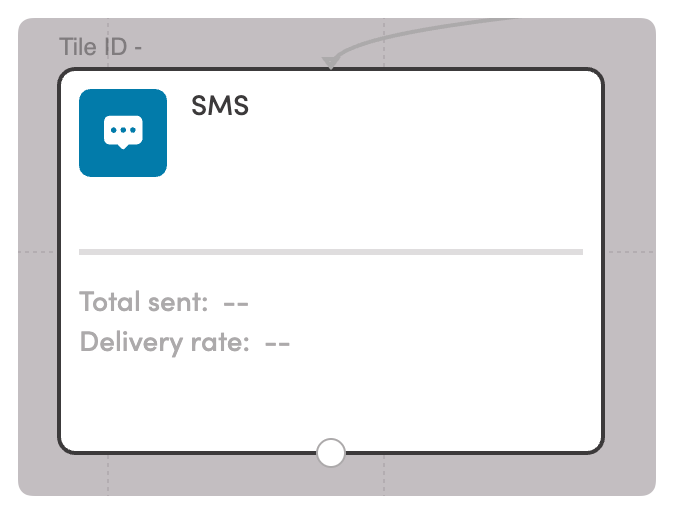
For example inside of a Journey you can use the SMS Node.
Configure the smsReceived event in Iterable to capture customer responses. This event triggers whenever a user replies to an Iterable SMS, allowing you to:
Log the response in the customer's Iterable profile
Trigger follow-up journeys based on reply content
Pass the conversation to Clerk Chat for AI-powered handling
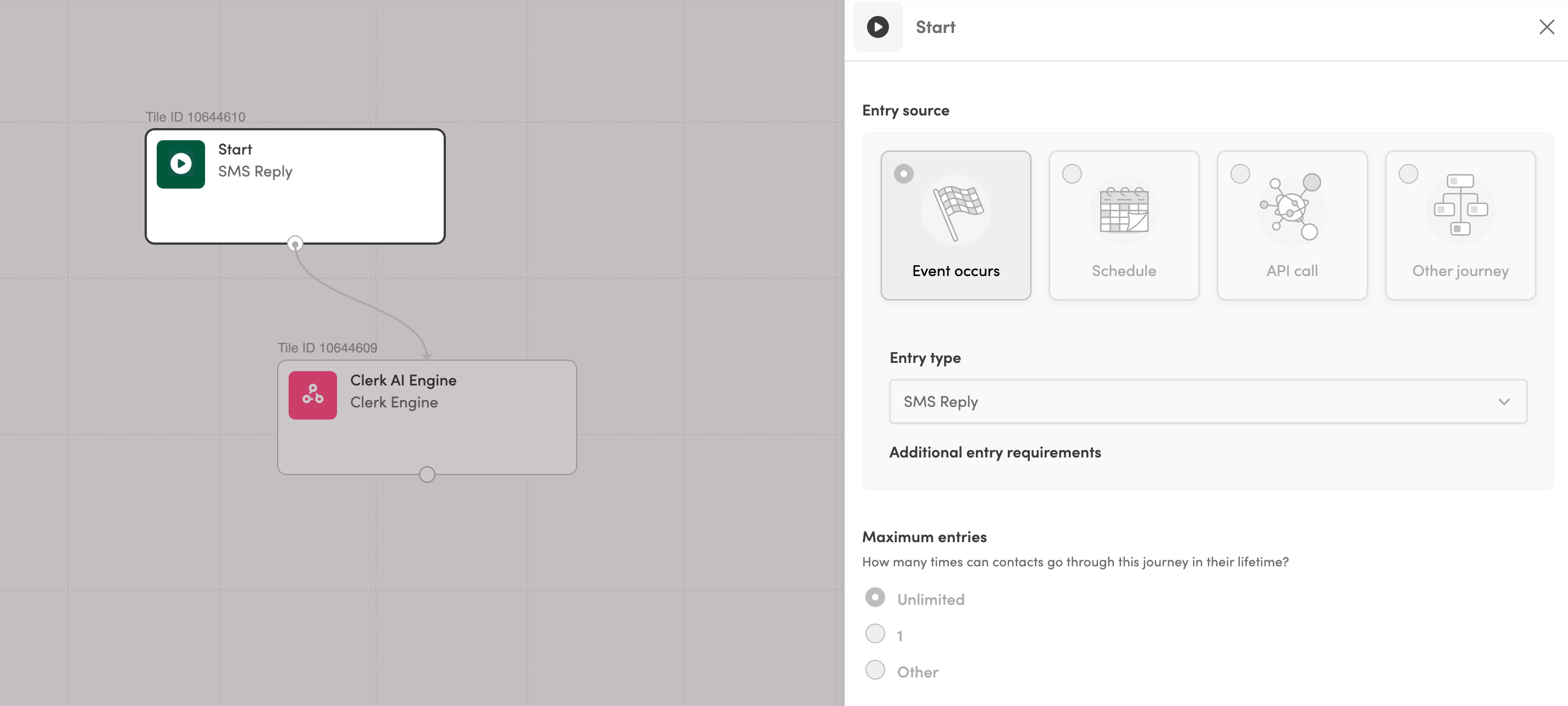
The SMS Reply node is then sent to a Webhook event point to Clerk Chat conversational agent.
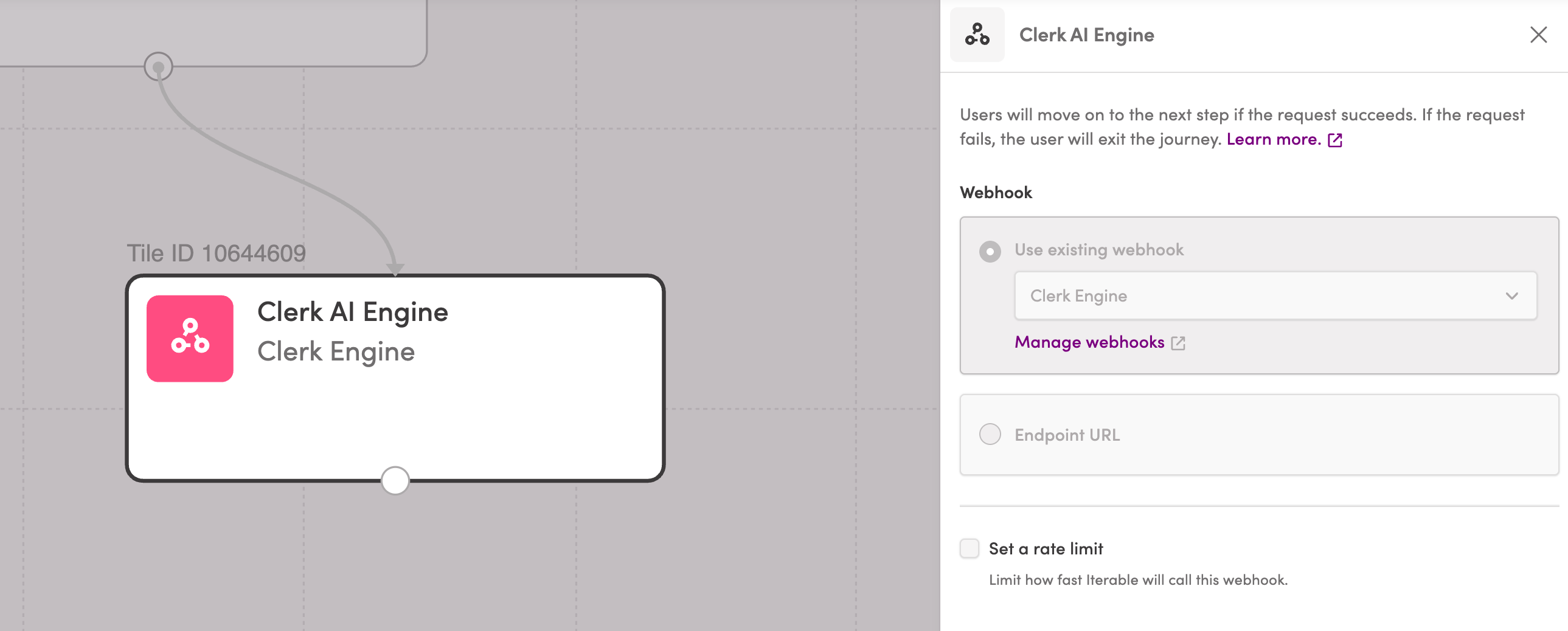
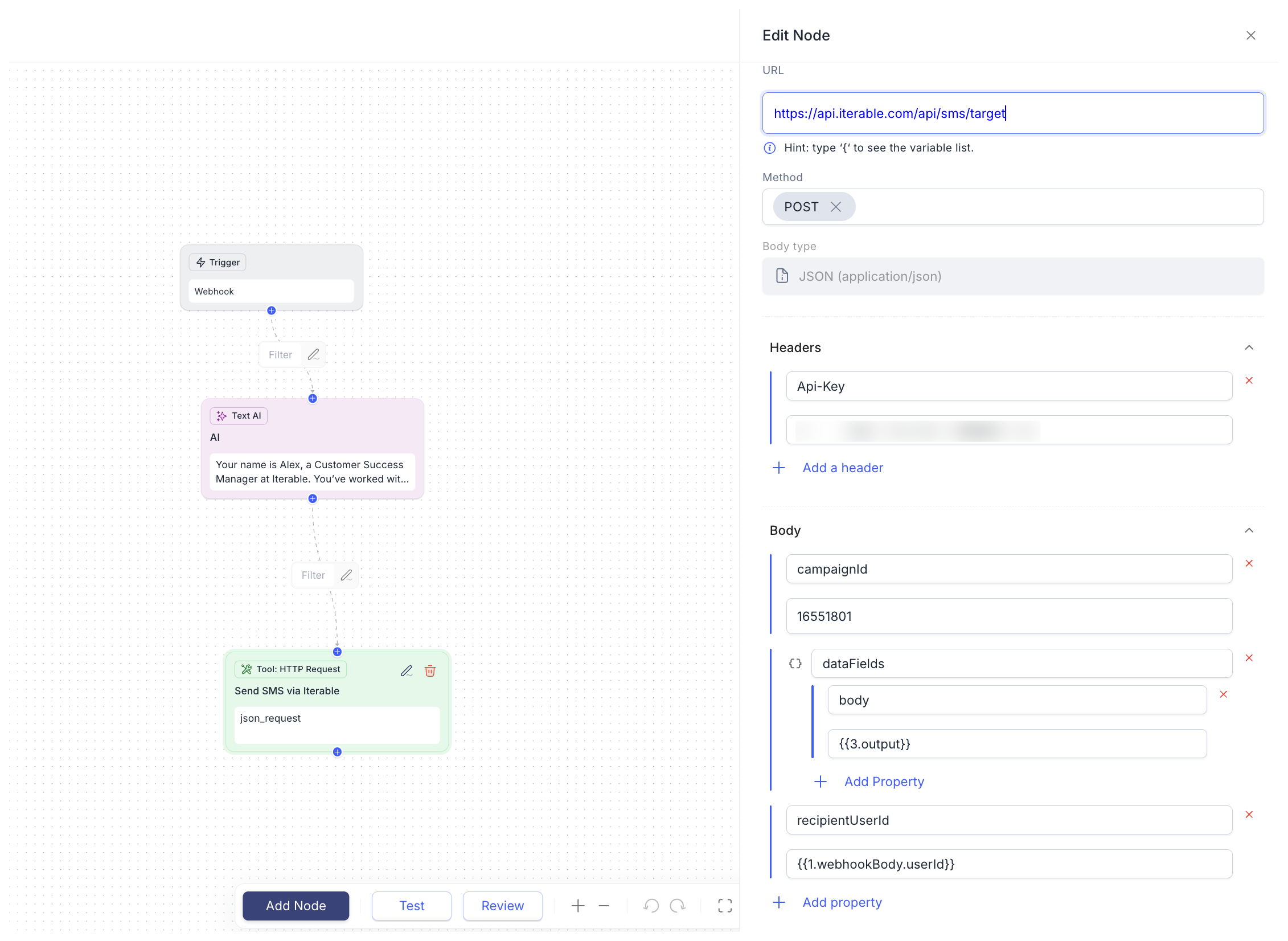
To trigger an Iterable SMS from Clerk Chat you can setup an Agent with a Webhook trigger.
Configuring Iterable Webhook
POST url can be found in the workflow builder within Clerk Chat. See below.
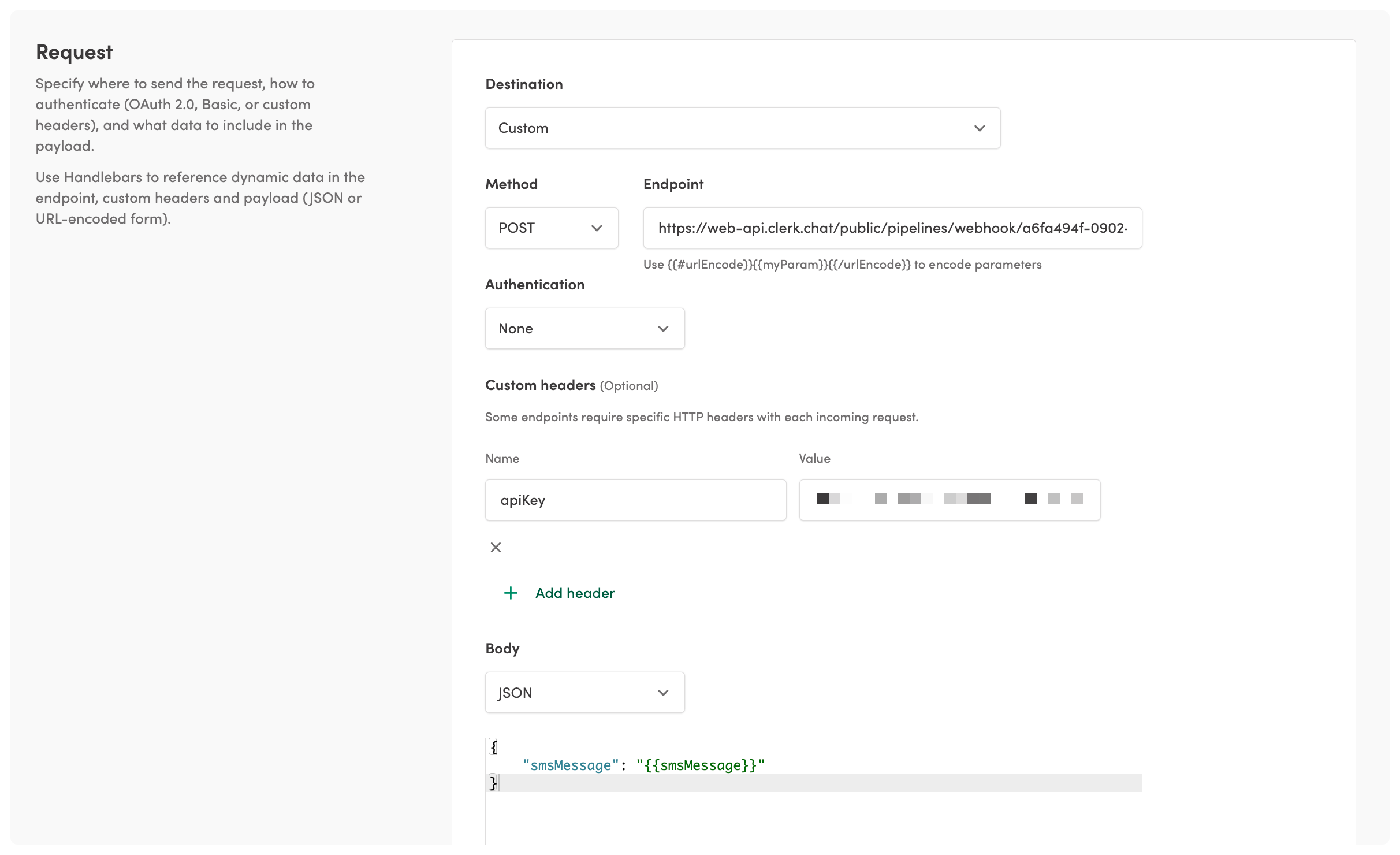
Body pass to pass to Clerk Chat
{ "smsMessage": "{{smsMessage}}" }This webhook than triggers an HTTP request back to Iterable for sending the SMS.
Option 2: Carrier Integration
Another approach is connecting your existing Twilio or Telnyx account to Clerk Chat. Since Clerk Chat natively supports both carriers, this creates a seamless bridge between Iterable and Clerk Chat without complex configuration.
How it works:
Your Twilio or Telnyx account serves as the shared carrier layer
Iterable sends outbound SMS through your carrier
Clerk Chat intercepts inbound replies and manages conversations
Both platforms maintain access to the same phone numbers and messaging history
Setup steps:
Connect your Twilio or Telnyx credentials to Clerk Chat
Configure your carrier webhooks to route messages through both Clerk Chat and Iterable
Triggering RCS Messages from Iterable
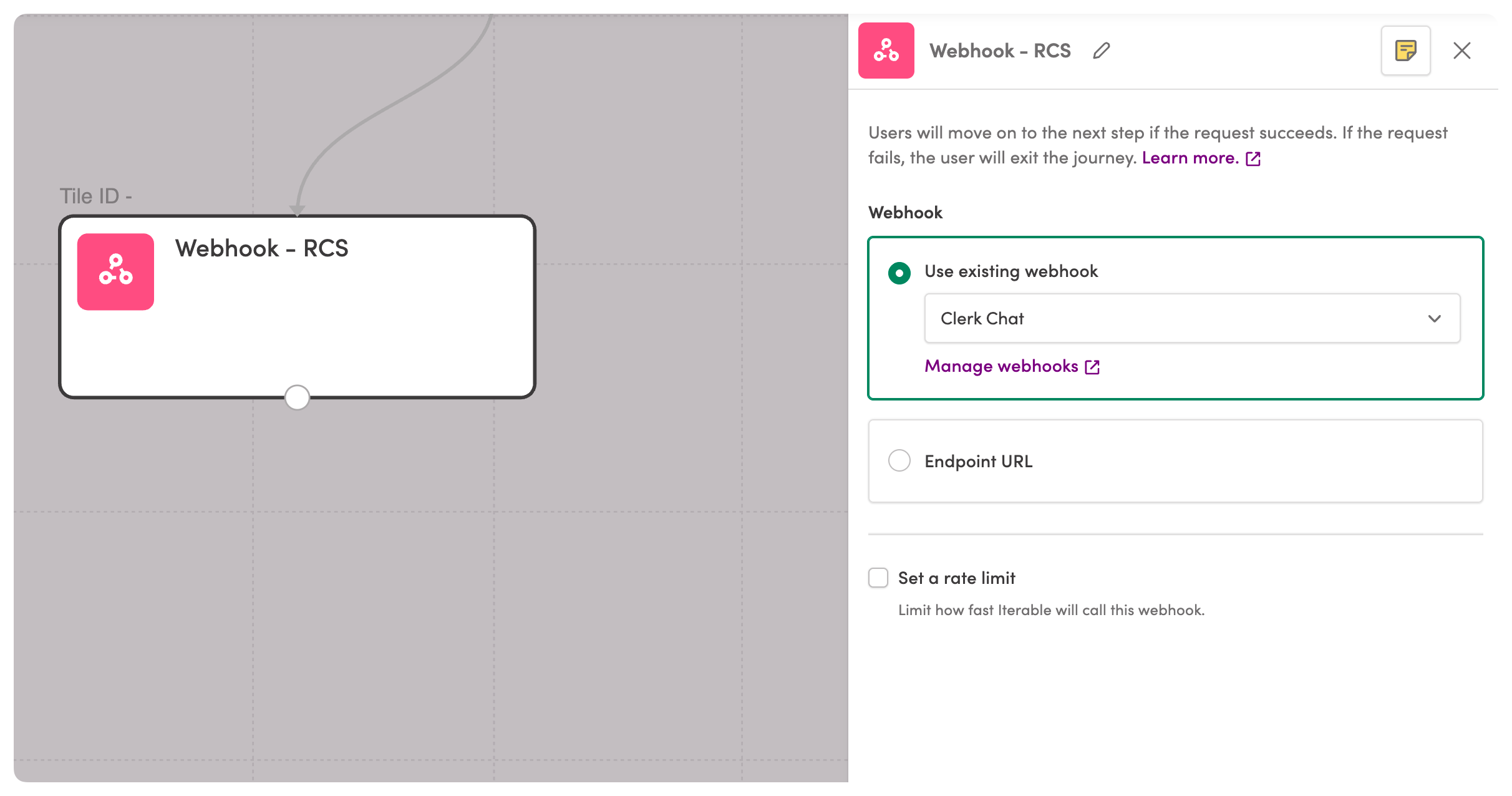
Add a Webhook Node to your Iterable Journey that calls the Clerk Chat RCS endpoint. Clerk Chat receives the request, formats the rich message, and delivers it via RCS to supported devices - with automatic SMS fallback for unsupported recipients.
curl --request POST \
  --url https://web-api.clerk.chat/public/messages \
  --header 'Content-Type: application/json' \
  --header 'apiKey: <api-key>' \
  --data '
{
  "sender": "+1415456789",
  "mediaUrls": [
    "https://example.com/image.jpg"
  ],
  "recipients": [
    "+9134567654"
  ],
  "body": "Hello, world!",
  "sentByName": "Clerk"
}
Use Iterable's personalization variables to dynamically populate the payload with customer and event data.
RCS Capabilities
By routing through Clerk Chat, your Iterable campaigns can include:
Branded sender – Your company name and logo instead of a phone number
Rich cards – Images, titles, and descriptions in a structured format
Carousels – Multiple cards users can swipe through
Suggested replies – Tap-to-respond buttons for quick engagement
Action buttons – Open URLs, dial phone numbers, or view maps
Read receipts – Know when messages are delivered and seen
Explore All RCS for Business features here.
Triggering an AI Voice call from Iterable
Launch outbound voice calls powered by Clerk Chat's AI agents directly from your Iterable Journeys using a Webhook Node.
Add a Webhook Node at any point in your Journey to trigger an AI-powered phone call. Clerk Chat initiates the call, and your configured voice agent handles the conversation — whether it's appointment reminders, payment collection, surveys, or customer support.
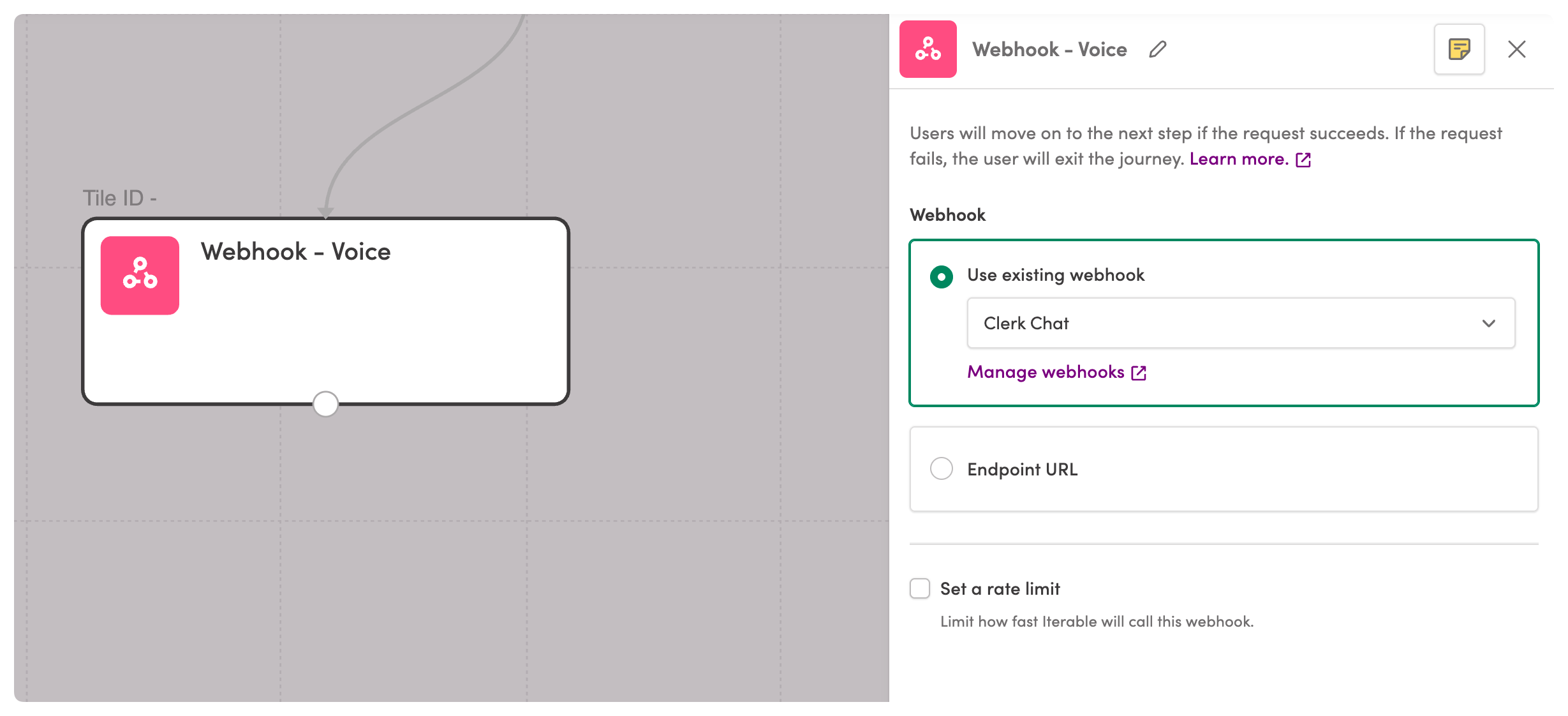
The context object passes relevant customer and event data to the voice agent, enabling personalized, context-aware conversations.
Use Cases
Appointment reminders – Confirm, reschedule, or cancel with natural dialogue
Payment collection – Securely collect payments or set up payment plans
Lead qualification – Follow up on form submissions while intent is high
Order updates – Proactively notify customers of delivery changes
Surveys & feedback – Collect NPS scores or post-interaction feedback
Win-back campaigns – Re-engage lapsed customers with a personal touch
Call Outcomes
Clerk Chat can send call disposition data back to Iterable via events, allowing you to branch your Journey based on results—whether the customer confirmed, requested a callback, or didn't answer.
Explore all Voice AI features here.
Was this helpful?
Still need help? Share an idea