Message Threads
Message threads allow your team to have internal discussions tied to specific customer messages or calls.
Written By Jill Berkowitz
Last updated 10 months ago
ℹ️ Note: Threads are internal to your team and not visible to end customers.
Starting a thread
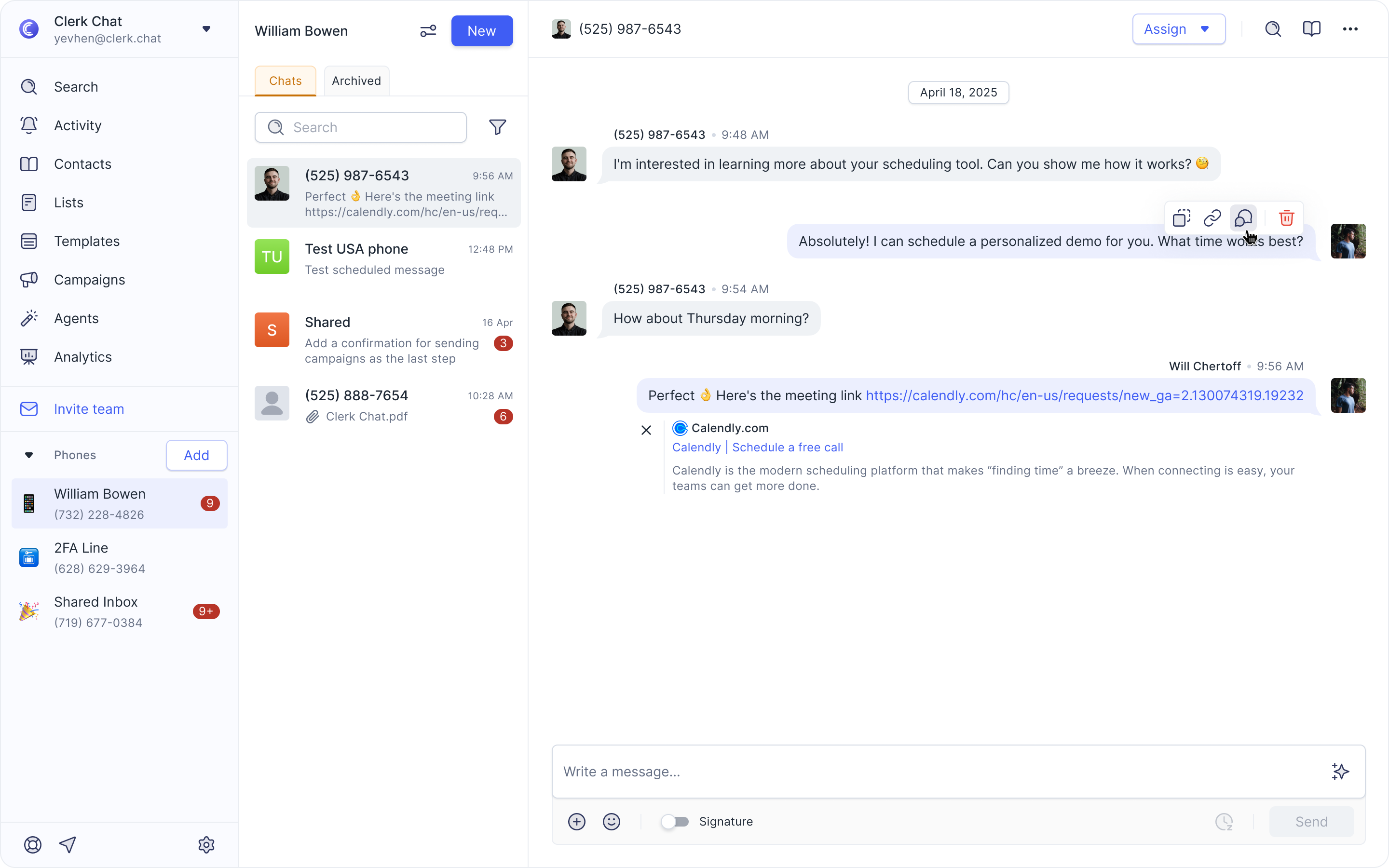
Hover over any message you've sent or received or hover over the call details within the conversation panel.
Click the “show comments” icon that appears.
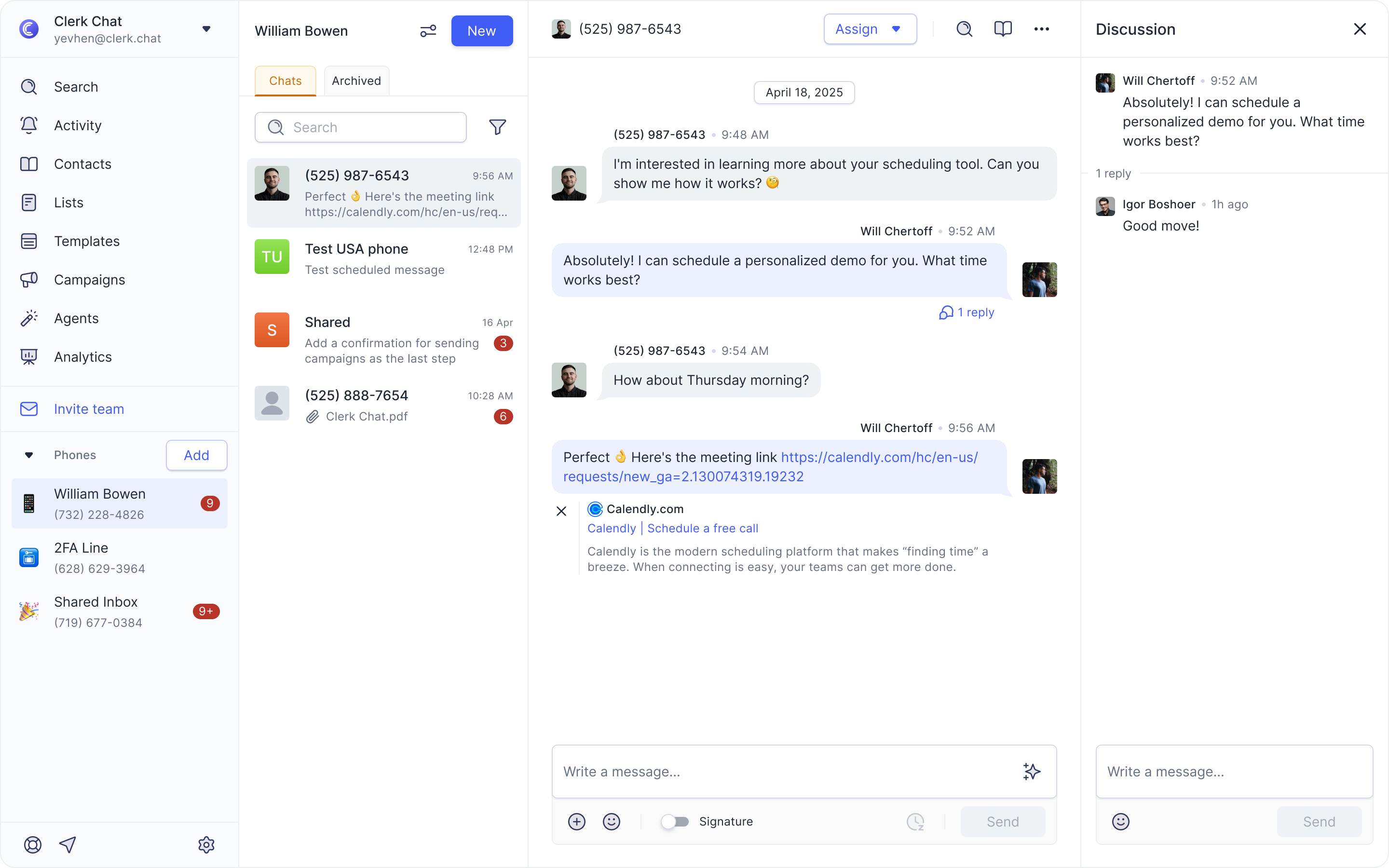
Type your comment in the panel on the right.
Press Enter or click Send.
Your team can now discuss the message or call privately without interrupting the customer experience.
Tag colleagues in a discussion thread
You can now tag teammates directly in message or call discussion threads to get their attention quickly.
Type @ followed by your colleague’s name.
They must have access to that phone number inbox to be tagged.
Tagged teammates will receive a notification so they can jump right into the conversation.
Was this helpful?
Still need help? Share an idea