Custom compliance per phone number
Customize compliance messages for each individual phone number inbox.
Written By Jill Berkowitz
Last updated 11 months ago
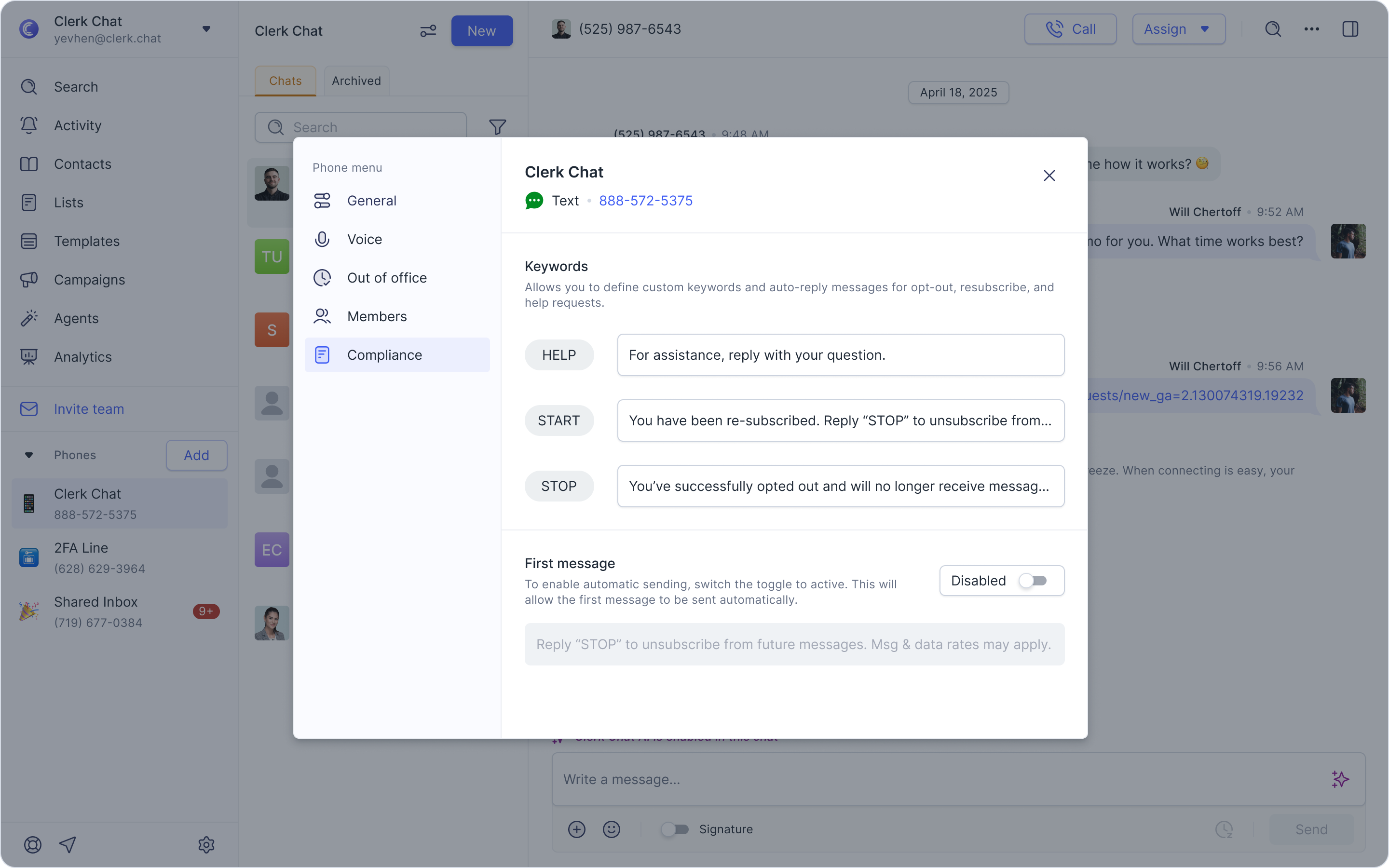
Set your own START, STOP, HELP, and first message responses for full control over the automated messages customers receive.
How it works
Each phone number can have its own set of compliance messages. For example, if a customer replies STOP, they’ll receive the customized STOP confirmation you’ve defined for that specific inbox.
Where to find these settings
Click the three dots next to the phone number inbox you want to update - this opens the phone number settings menu.
Look for the Compliance section.
From here, you can set or update the START, STOP, HELP, and first message responses.
Your customized messages will automatically be sent whenever customers interact with your phone number using these standard compliance keywords.
Was this helpful?
Still need help? Share an idea