Template Builder
Creating RCS messages is fast and flexible with our built-in template builder.
Written By Chelsey Craig
Last updated 12 months ago
Step-by-Step Guide:
Open Templates: From your Clerk Chat dashboard, go to Templates → Create → RCS.
Choose Your Layout: Select from hero images, multi-card carousels, or video cards — all optimized for RCS delivery.
Customize Your Message:
Upload images or videos
Add a headline and short description
Add up to 3 interactive buttons (link, call, or trigger a chat flow)
Preview in Real Time: Instantly preview how your message will appear across Android, iOS, and SMS fallback views.
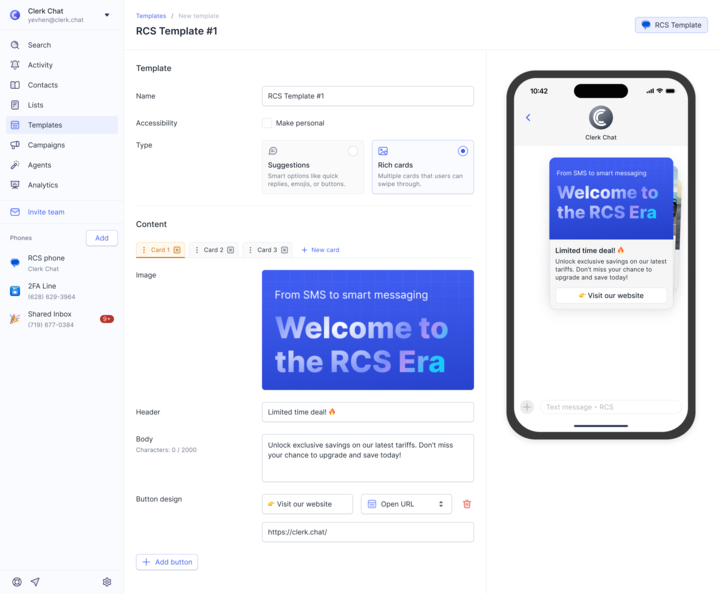
Test Internally: Send a test to yourself or your team to check design, functionality, and fallback content.
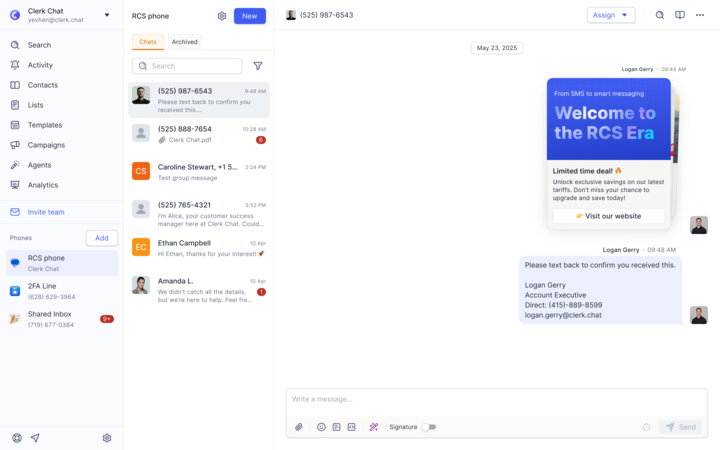
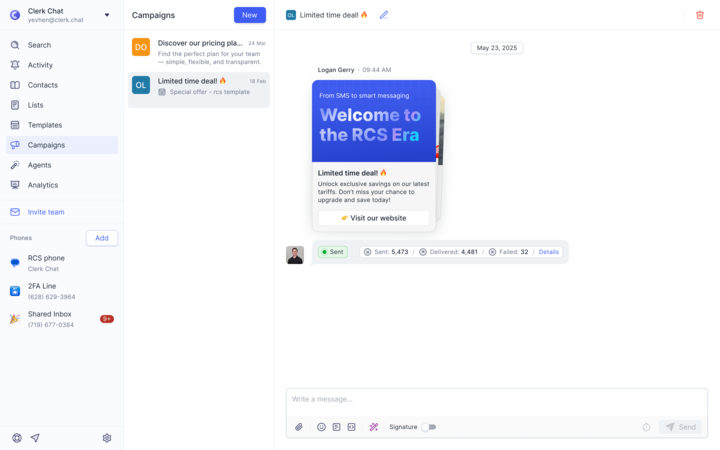
Launch Your Campaign: When you’re ready, deploy it directly from Clerk Chat by hitting the + sign and selecting the template when writing a message.
Best Practices
Always include fallback text to ensure a clean experience for users without RCS support.
Limit to 2–3 buttons for the cleanest user experience
Test thoroughly on both Android and iOS views
Use consistent branding in your logo, colors, and message tone
Follow media specs to avoid display issues or carrier rejections
Leverage carousels to showcase products, promotions, or appointment types
Add descriptive alt text or video captions to ensure inclusivity.
Additional Template Features:
RCS templates support dynamic variables. Insert fields such as name, account info, or appointment details into your messages for a personalized experience at scale.
The RCS Template Builder now displays your company logo in real time as you design messages.
Ensures consistent brand representation
Shows exactly how messages (media, buttons, variables, and calendar links) will appear to customers in RCS-supported apps
RCS Media Guidelines
Image Guidelines
Video Guidelines
Was this helpful?
Still need help? Share an idea