Dynamic Lists
Dynamic Lists in Clerk Chat enable you to create intelligent, automatically updating groups of contacts based on customizable filters. These lists refresh in real time, ensuring you always have access to the most relevant contacts without any manual effort.
Written By Clerk Chat
Last updated 12 months ago
Benefits of Using Dynamic Lists
Always Up-to-Date: Lists automatically adjust to reflect the most current contact information and criteria.
Reduced Manual Work: Eliminate the need to update or rebuild contact lists manually.
Improved Targeting: Easily reach the right contacts for your Campaigns.
Flexible Organization: Group contacts in a way that best suits your team’s workflows and objectives.
How to Create a Dynamic List
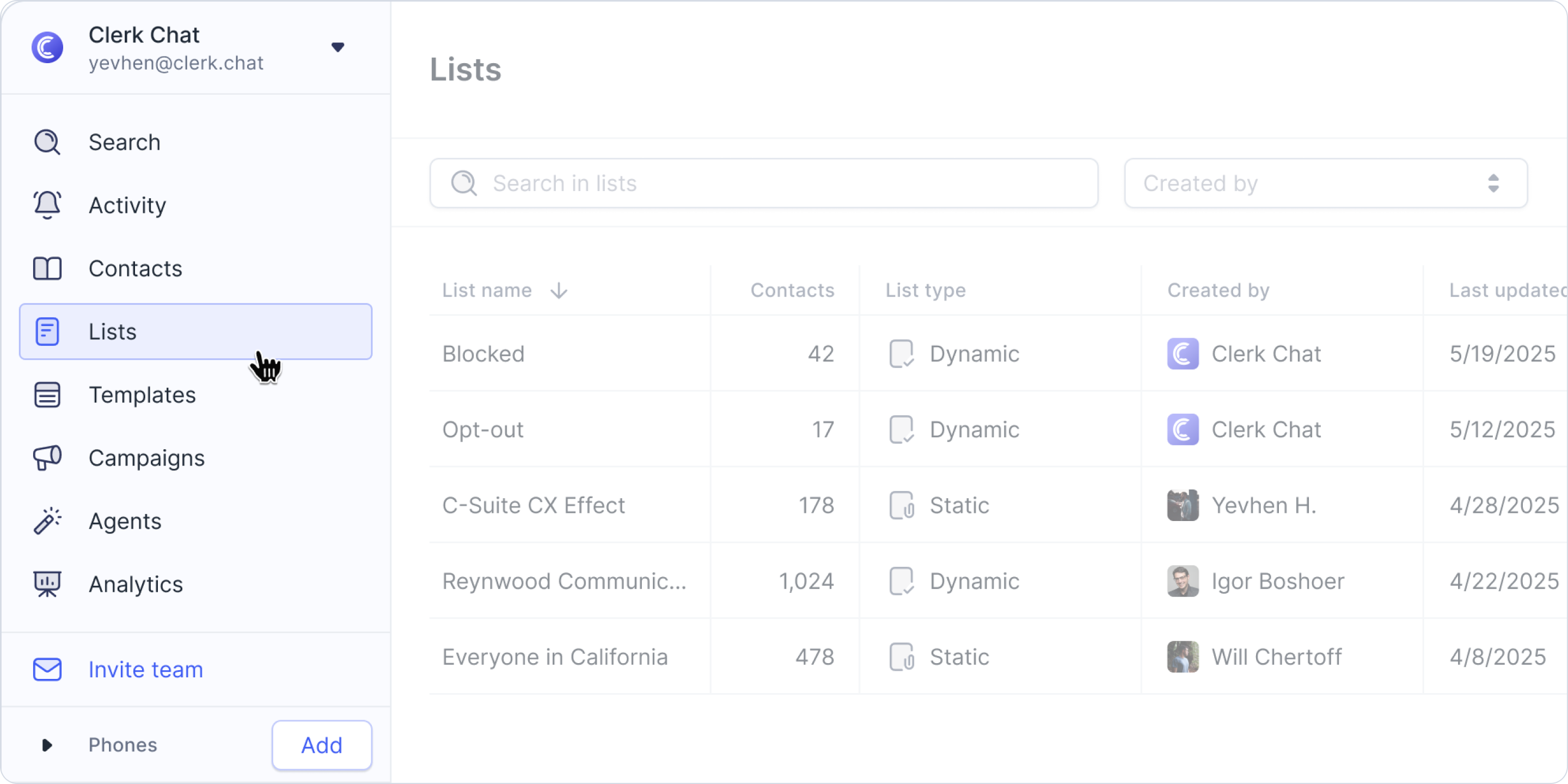
Go to the Lists tab.
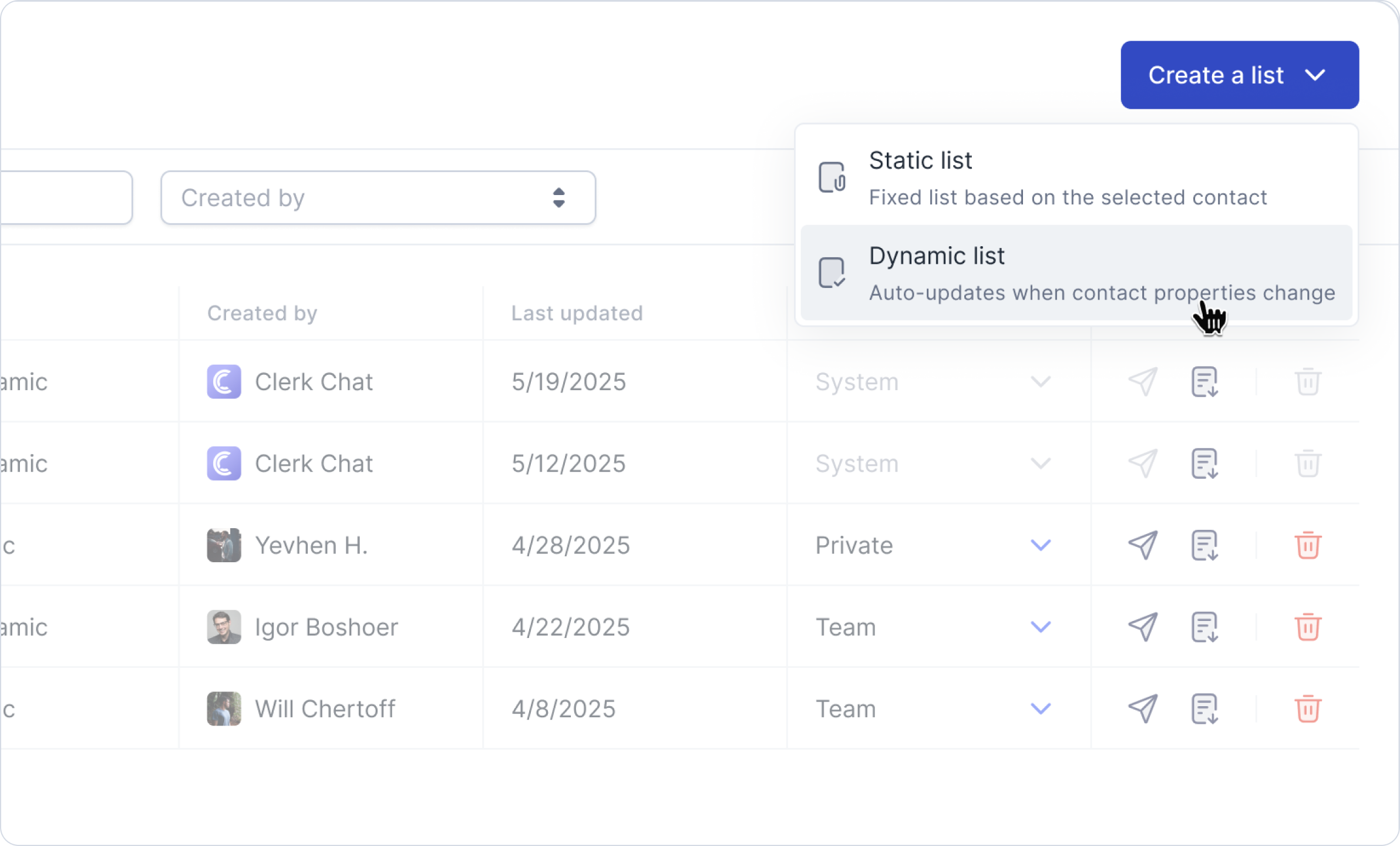
Click Create List and choose Dynamic List
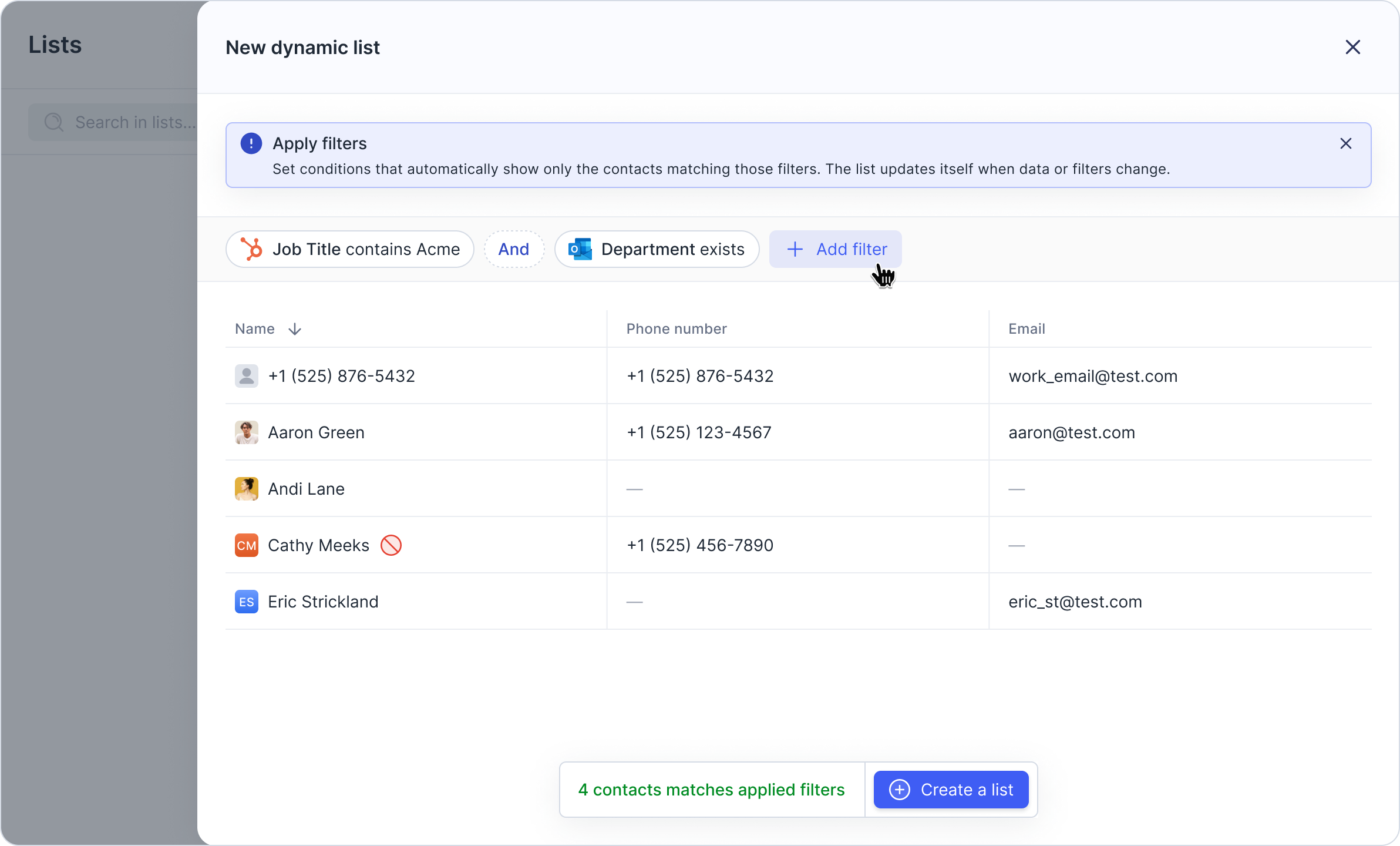
Define your criteria by applying relevant filters for your contact segments.
Save your list.
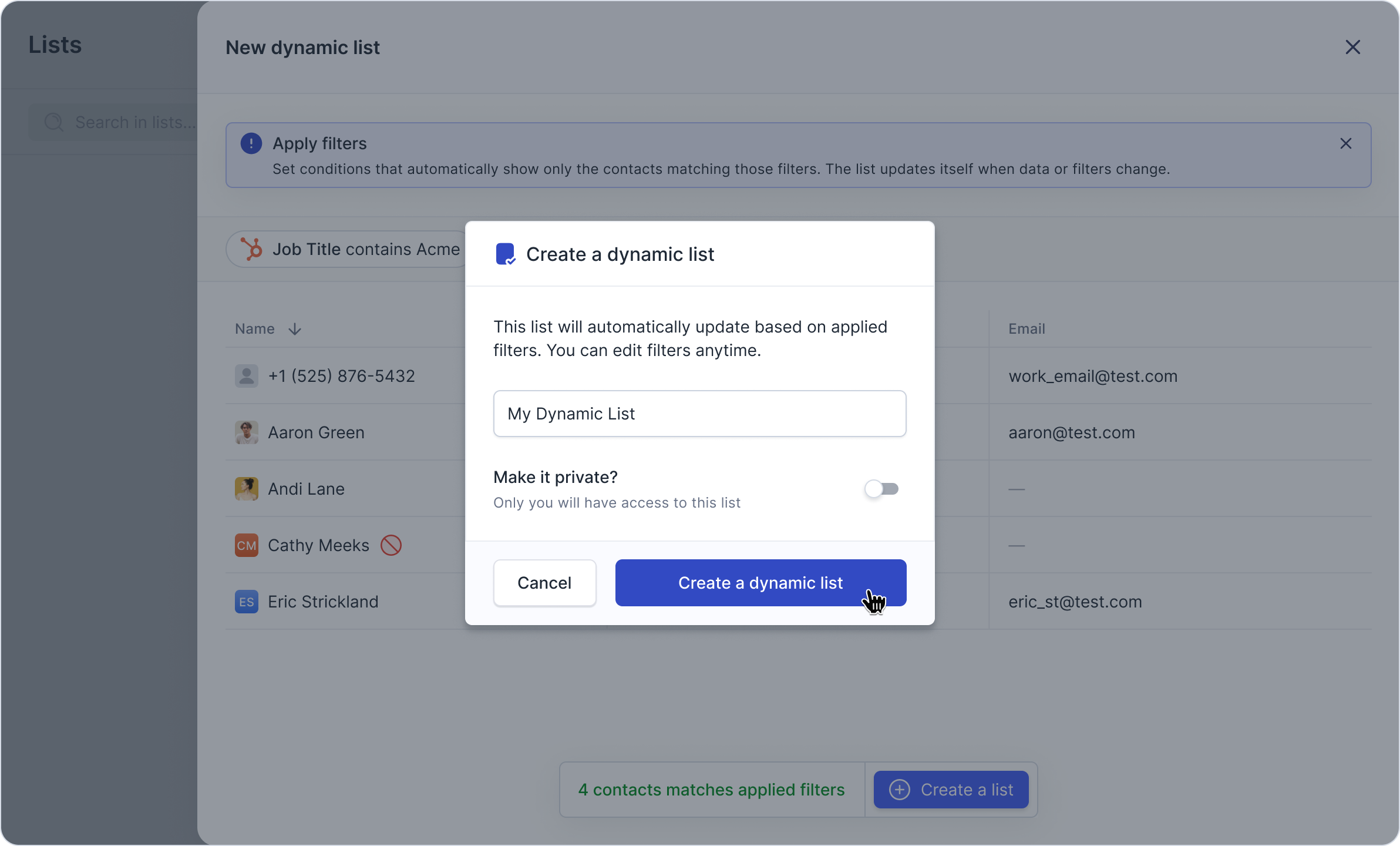
💡 Your dynamic list will update automatically as contacts meet or no longer meet the specified conditions.
Common Use Cases
Segmenting new leads or recent contacts
Tracking VIP customers
Organizing contacts by tags or labels
Creating follow-up lists for older conversations
Grouping contacts by assigned team member
Managing Your Dynamic Lists
Access all your lists in the Lists tab.
Click any list to review filters and current members.
Edit filters anytime—changes apply instantly.
Frequently Asked Questions
Q: Can I manually add or remove contacts from a dynamic list?
A: No. Dynamic lists are fully rule-based. For manual list management, please use static lists.
Q: How frequently do dynamic lists update?
A: They update in real time as contact data changes.
Q: Can I use custom fields when filtering contacts?
A: Yes. You can filter by tags, built-in fields, and custom metadata.
Q: Is it possible to export contacts from a dynamic list?
A: Yes. Exporting contacts works the same way as with static lists.
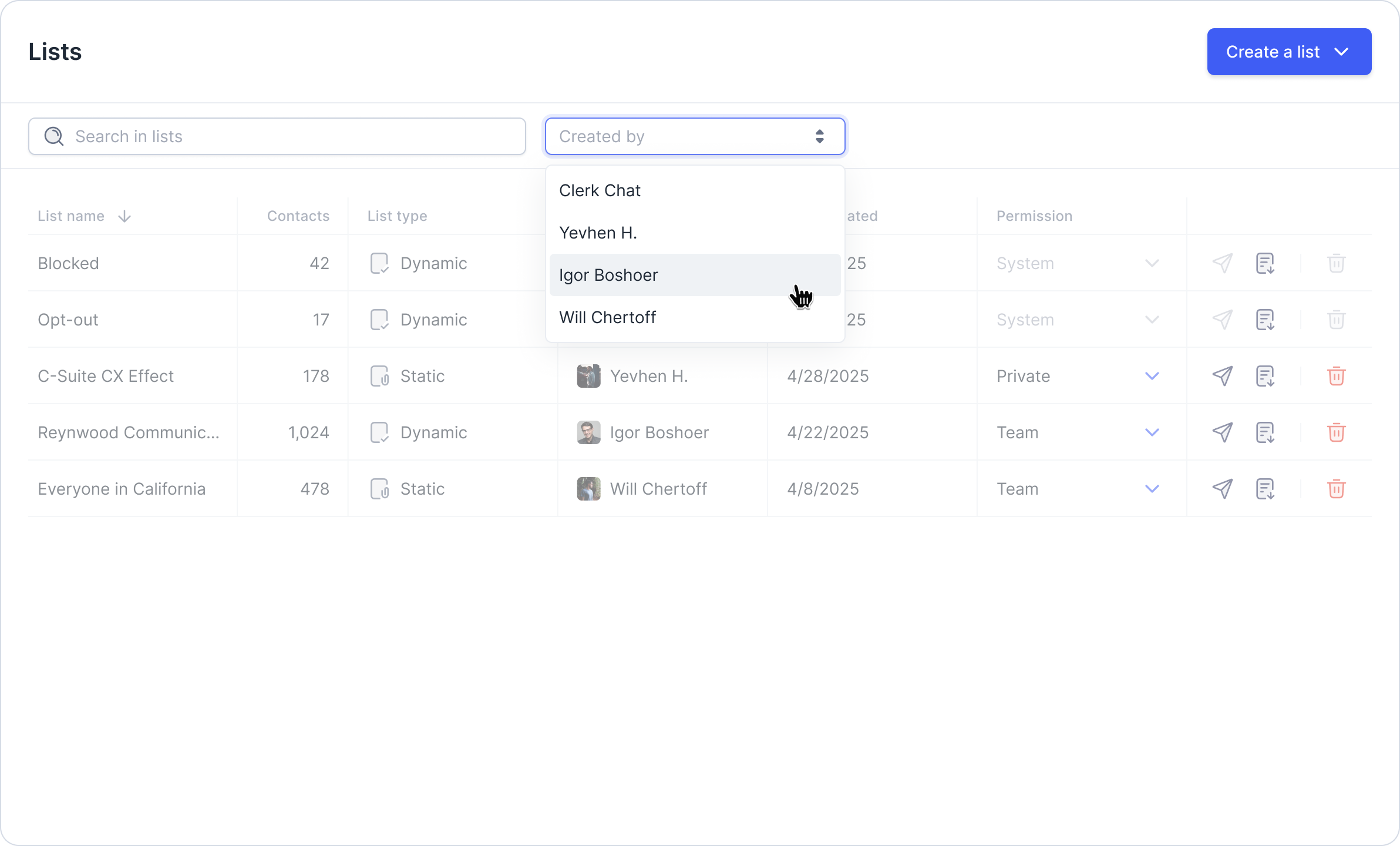
Additional List Features: “Created by” filter
We’ve introduced a new filter option on the Lists page to enhance organization. You can now filter lists by “Created By” to quickly identify who created each list. Visit the Lists tab to try it out.
If you need help with anything, feel free to reach out via email support@clerk.chat
Was this helpful?
Still need help? Share an idea