Static Lists
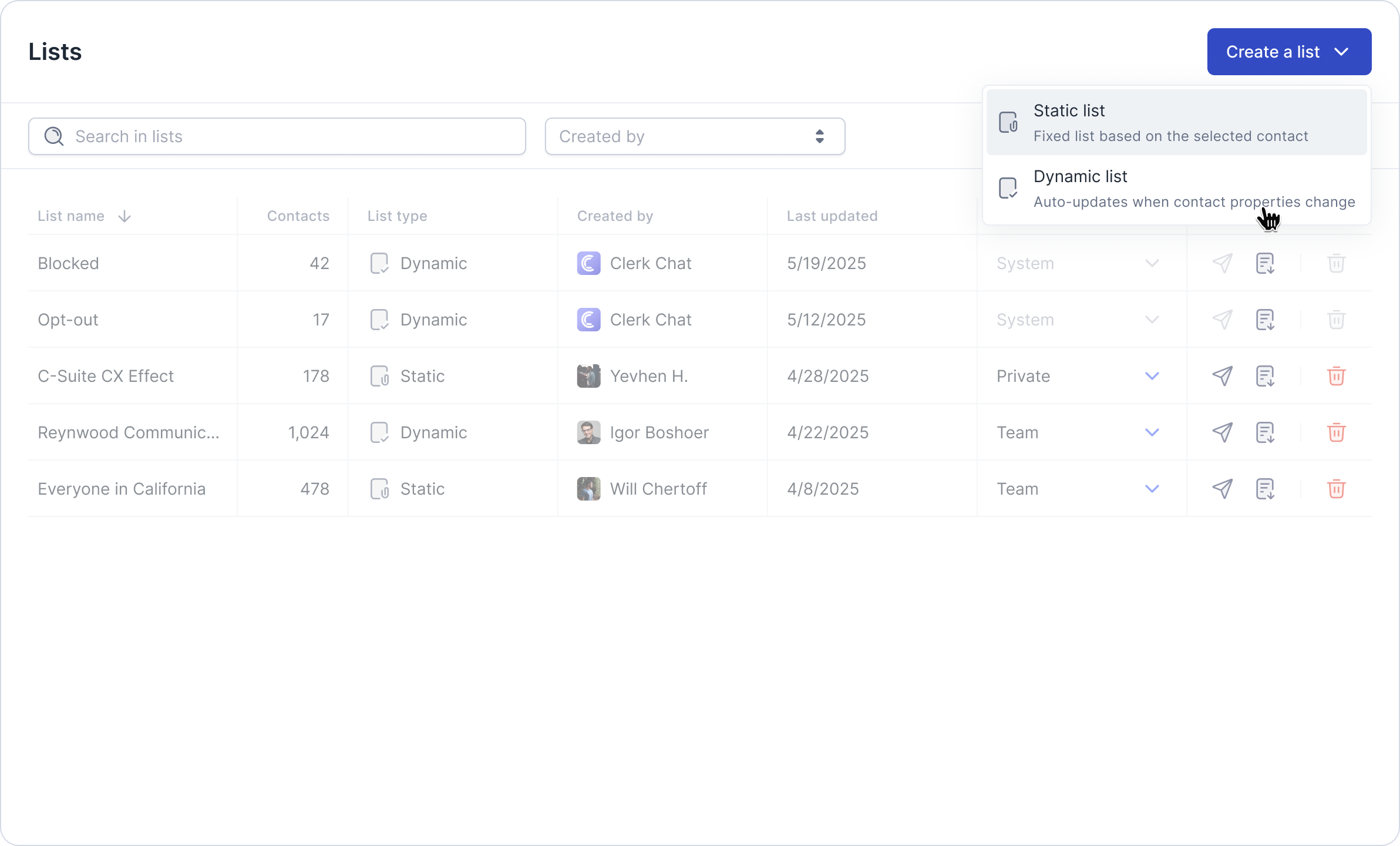
Static Lists in Clerk Chat are manually managed groups of contacts. Unlike dynamic lists, static lists do not update automatically and require you to add or remove contacts manually.
Written By Clerk Chat
Last updated 12 months ago
Benefits of Using Static Lists
Fixed Groups: Ideal for contact groups that remain stable and do not change frequently.
Manual Control: You decide exactly which contacts are included.
Perfect for Specific Campaigns: Best suited for projects or campaigns where contact lists are predefined and require careful curation.
How to Create a Static List
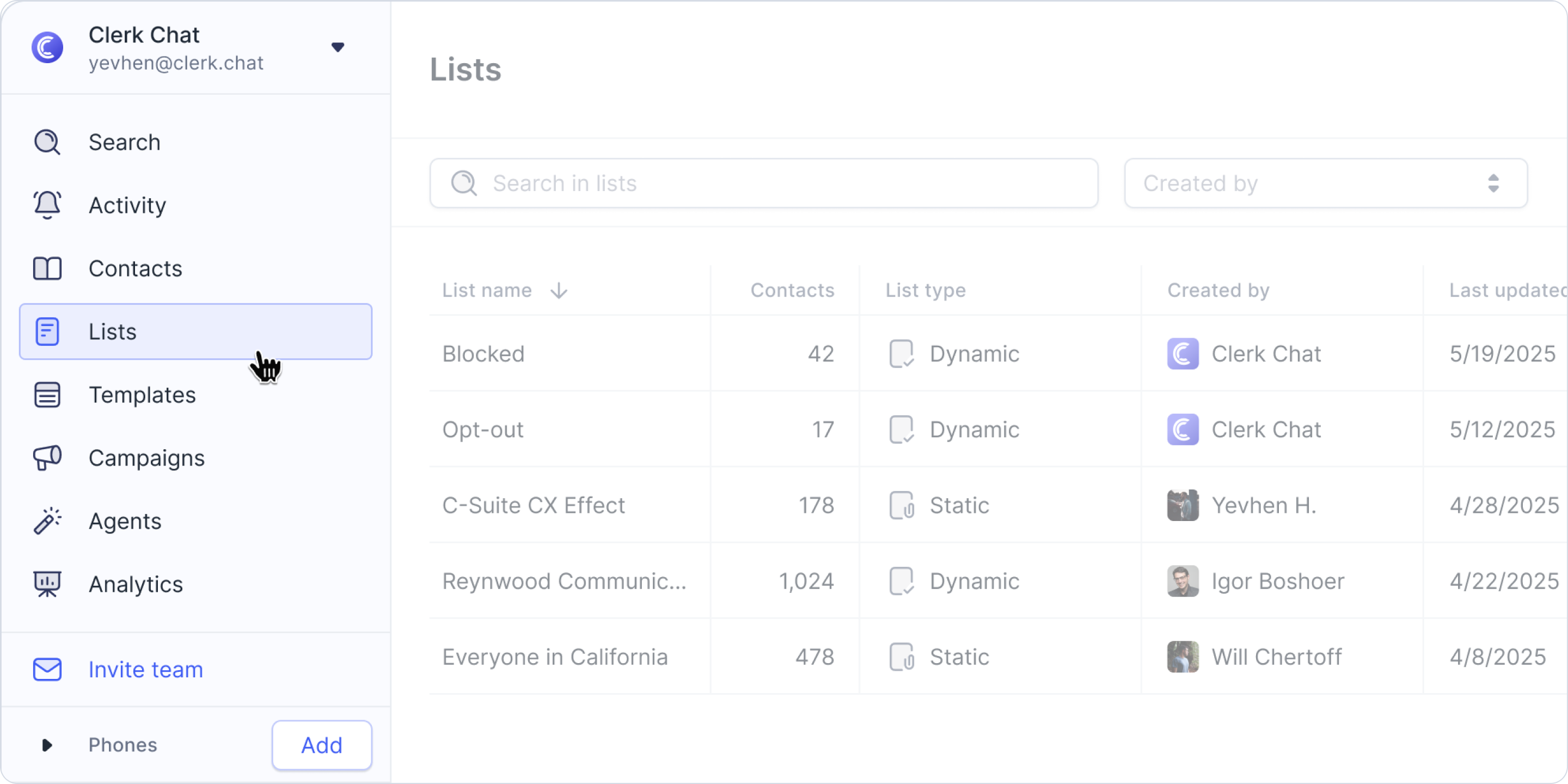
Navigate to the Lists tab.
Click Create List and choose Static List.
Manually add contacts to your list.

Save your list.
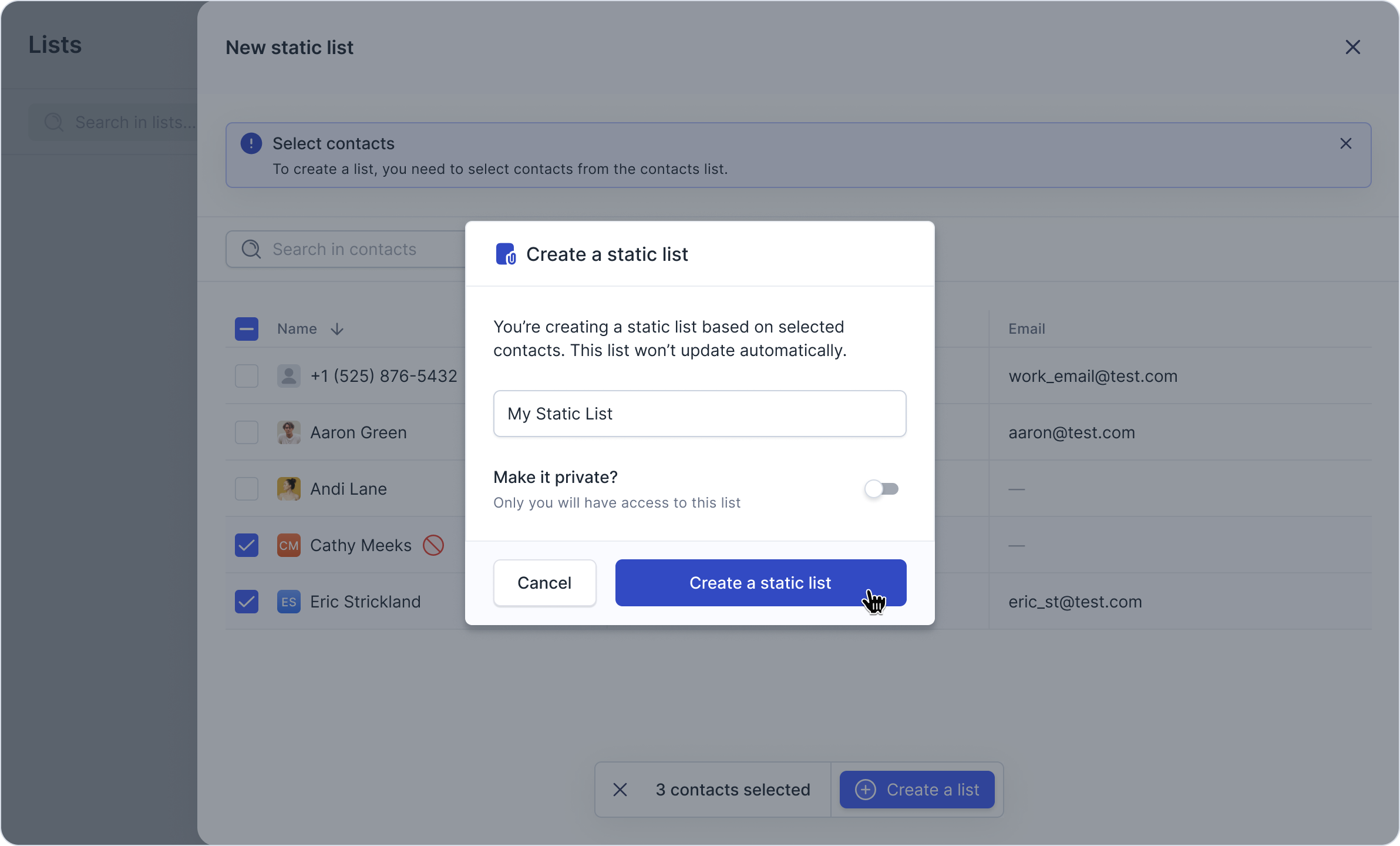
💡 You can update the list at any time by manually adding or removing contacts as needed.
Common Use Cases
Targeted marketing campaigns with a fixed audience
Event invitation lists
Partner or vendor contact groups
Any scenario where manual contact curation is preferred
Managing Your Static Lists
Access your static lists via the Lists tab.
Add or remove contacts manually whenever necessary.
Export contacts from static lists as needed.
Key Features of Static Lists
Static lists rely on manual contact management and do not update automatically. They are best used for stable, fixed groups where precise control over list membership is required.
Additional List Features: “Created by” filter
You can now more efficiently organize and filter your lists using the new “Created By” filter on the Lists page. This helps quickly identify who created each list.

Was this helpful?
Still need help? Share an idea